First-Time Git Setup:
First-Time Git Setup:
Git is a version-control system for tracking changes in computer files and coordinating work on those files among multiple people. It is primarily used for source-code management in software development, but it can be used to keep track of changes in any set of files.
License: Mostly GNU GPL v2, GNU LGPL v2.1 for some parts, and some other licenses for yet other parts
Initial release: 7 April 2005; 13 years ago
Developer(s): Junio Hamano and others
Operating system: POSIX: Linux, Windows, macOS
Stable release: 2.19.1 / 27 September 2018; 17 days ago
Original author: Linus Torvalds
how to setup git on ubuntu ppa
just run this below mentioned three command one by one:
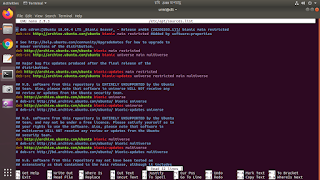
$ sudo apt-add-repository ppa:git-core/ppa
$ sudo apt-get update
$ sudo apt-get install git
after run above mentioned three command run below command
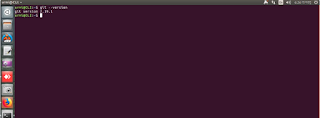
$ git --version
The first install git set your user name and email address:
The first thing you should do when you install Git is to set your user name and email address. This is important because every Git commit uses this information, and it’s immutably baked into the commits you start creating:
$ git config --global user.name "Urmi"
$ git config --global user.email devopsurmi@gmail.com
Again, you need to do this only once if you pass the --global option, because then Git will always use that information for anything you do on that system. If you want to override this with a different name or email address for specific projects, you can run the command without the --global option when you’re in that project.
Many of the GUI tools will help you do this when you first run them.
Git is a version-control system for tracking changes in computer files and coordinating work on those files among multiple people. It is primarily used for source-code management in software development, but it can be used to keep track of changes in any set of files.
License: Mostly GNU GPL v2, GNU LGPL v2.1 for some parts, and some other licenses for yet other parts
Initial release: 7 April 2005; 13 years ago
Developer(s): Junio Hamano and others
Operating system: POSIX: Linux, Windows, macOS
Stable release: 2.19.1 / 27 September 2018; 17 days ago
Original author: Linus Torvalds
how to setup git on ubuntu ppa
just run this below mentioned three command one by one:
$ sudo apt-add-repository ppa:git-core/ppa
$ sudo apt-get update
$ sudo apt-get install git
after run above mentioned three command run below command
$ git --version
The first install git set your user name and email address:
The first thing you should do when you install Git is to set your user name and email address. This is important because every Git commit uses this information, and it’s immutably baked into the commits you start creating:
$ git config --global user.name "Urmi"
$ git config --global user.email devopsurmi@gmail.com
Again, you need to do this only once if you pass the --global option, because then Git will always use that information for anything you do on that system. If you want to override this with a different name or email address for specific projects, you can run the command without the --global option when you’re in that project.
Many of the GUI tools will help you do this when you first run them.
Comments
Post a Comment